Hedy's AI meeting coach now comes to Apple Watch. Get real-time suggestions, control sessions, and capture highlights—all with a discreet glance at your wrist.
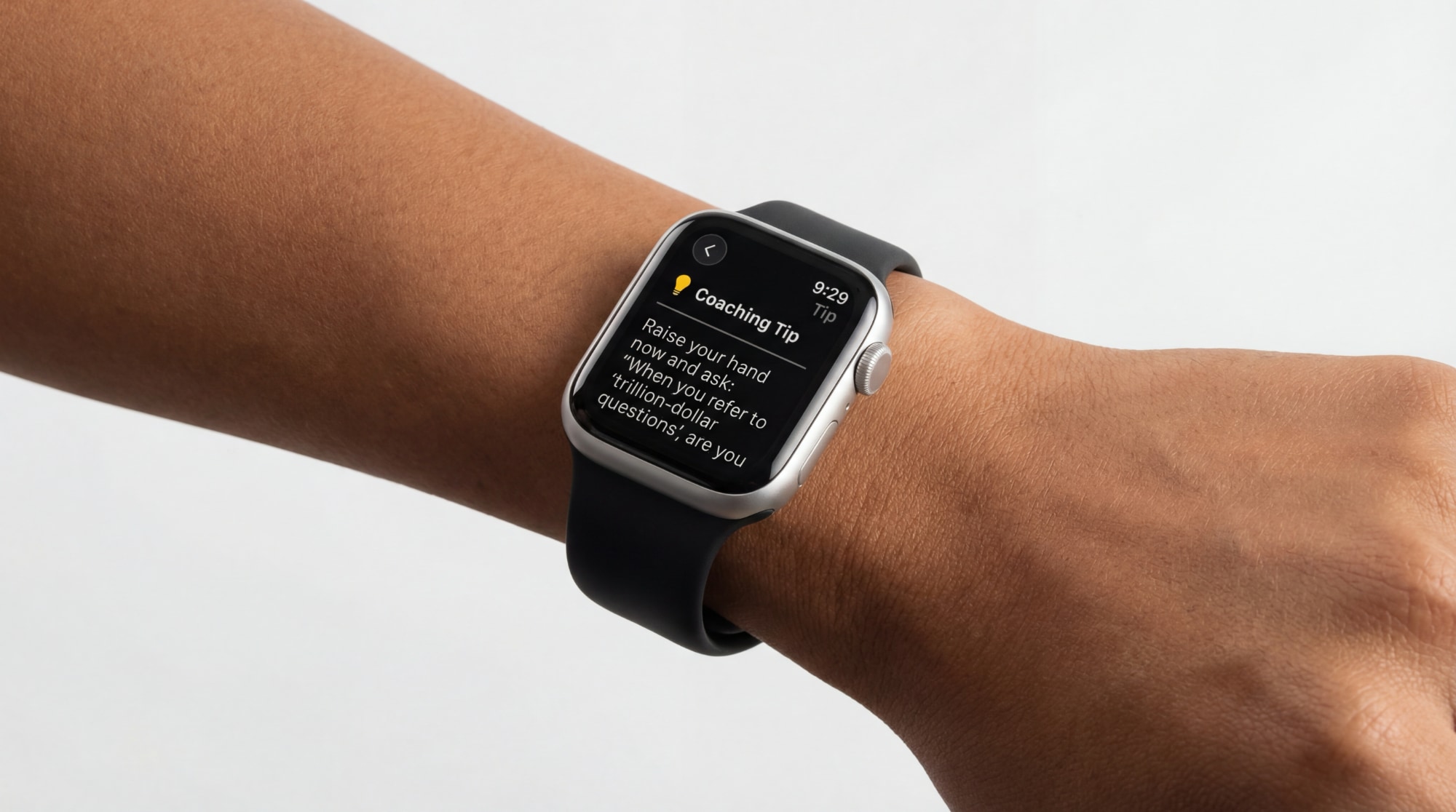
Looking at your phone during a meeting sends a signal—even when you're checking Hedy's coaching suggestions. A quick glance at your watch? That's just checking the time. Starting today, Hedy's AI meeting coach comes directly to your Apple Watch, making it the most discreet wearable AI assistant for professionals.
The Hedy Apple Watch app is a companion to the iOS app, giving you a hands-free meeting assistant that lets you view coaching suggestions and control your sessions once they're running—all from your wrist.
Once your session is running on your iPhone, manage it from your wrist. Pause during a break, resume when you're back, or stop the session when you're done—all without picking up your phone again. Visual indicators show your current status at a glance: a pulsing red dot when recording, orange when paused, gray when idle.
Hedy's automatic suggestions now appear on your watch the moment they're generated. A quick glance at your wrist—indistinguishable from checking the time—tells you there's a strategic question worth asking or a point worth exploring further. Tap to expand the full suggestion. Others see someone glancing at their watch; you see your AI meeting assistant at work.
Hear something worth remembering? Tap once to create a highlight. No need to look down at your phone—the gesture is as subtle as adjusting your watch band. The highlight gets marked in your session for review later, becoming part of your searchable meeting notes.
The Hedy widget lives in your watchOS Smart Stack, surfacing automatically when it's most relevant—like during an active session. At a glance, you see your latest coaching tip or session status. Tap to open the full smartwatch meeting app.
Use Siri for hands-free meeting control:
All commands integrate with the Shortcuts app, so you can build them into your own automations.
The watch app maintains a persistent connection with your iPhone. If you temporarily lose connection—walking between rooms, for instance—commands get queued and delivered automatically when the connection restores. Your session keeps running on your phone regardless.
Anyone who wants AI coaching without the optics of checking their phone. In client meetings, board rooms, or one-on-ones, glancing at your watch reads differently than looking at your phone screen. The watch gives you a discreet window into Hedy's suggestions while your phone handles the audio capture and meeting transcription.
People in longer sessions who start Hedy on their phone, then set it aside. Control playback and capture highlights from your wrist without picking up the phone again.
Professionals prioritizing Apple Watch productivity who want their wearable to do more than track fitness. Hedy turns your smartwatch into a genuine productivity tool for your most important conversations.
The Apple Watch app doesn't replace the iPhone app—it extends it. You still start sessions from your phone, which handles audio capture and processing. The watch gives you a subtler way to interact with Hedy once the session is running.

The Hedy Apple Watch app requires version 2.14 or later of the Hedy iPhone app. Once you've updated, there are two ways to install the watch app:
If you have Automatic App Install enabled, the Hedy watch app will install automatically when your iPhone app updates.
To check this setting:
If automatic install is off, or if the app hasn't appeared yet:
Once installed, open the Hedy watch app once to complete setup. You're ready to go.
Starting a session requires the Hedy iPhone app to be open. Once the session is running, you can control it entirely from your watch—pausing, resuming, stopping, and creating highlights.
The watch app needs to communicate with your iPhone, which handles audio capture and AI processing. If you briefly lose connection (walking between rooms), commands get queued and delivered when the connection restores. Your session continues running on your phone regardless.
Hedy supports all Apple Watch models running watchOS 9 or later. This includes Apple Watch Series 4 and newer, Apple Watch SE (1st and 2nd generation), and Apple Watch Ultra models.
The watch app is optimized for minimal battery impact. It only actively communicates with your iPhone during sessions, and the Smart Stack widget uses standard watchOS background refresh. Most users won't notice any significant change in battery life.
The watch app focuses on real-time coaching suggestions and session control. For full transcripts, summaries, and detailed meeting notes, use the Hedy iPhone app or web interface after your session.
AI coaching, as discreet as checking your watch.