Introducing Hedy Cloud Sync: Your AI Meeting Assistant, Now on Desktop
How Hedy Cloud Sync keeps your sessions available on every device you use, and where to get the Mac and Windows apps.
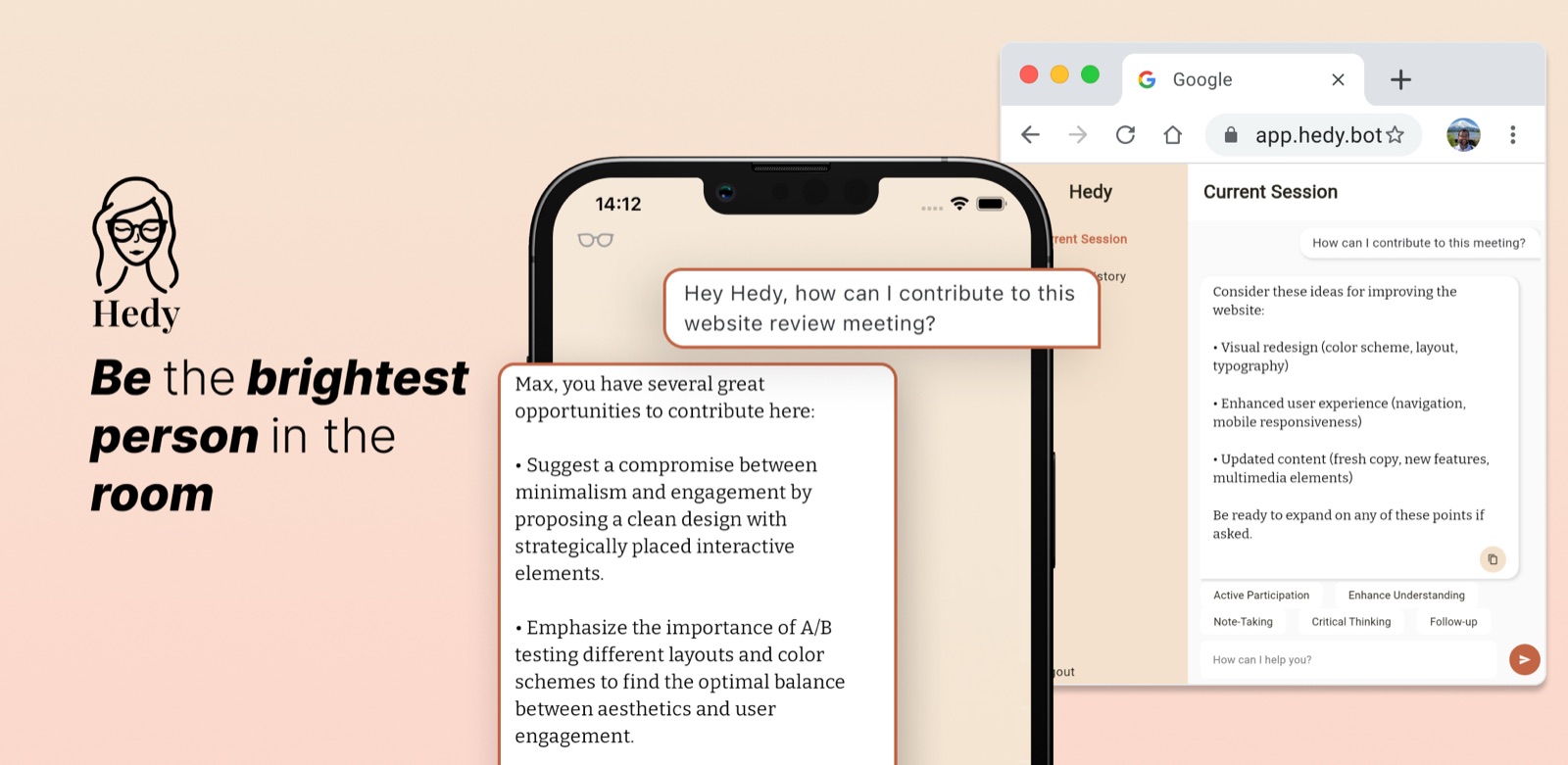
We’re thrilled to announce a game-changing update to Hedy, your trusted AI-powered meeting assistant. With the release of version 1.4, we’re introducing Hedy Cloud Sync - a feature that brings the power of Hedy to your desktop browser, creating a seamless dual-device experience that will revolutionize your virtual meetings.
Update, August 2026: This is the original version 1.4 announcement from August 2024, when the browser was the only way to use Hedy on a computer. That changed in April 2025. Hedy now has native Mac and Windows apps that capture audio and transcribe on the computer itself, so a session no longer has to run from your phone. They’re at hedy.ai/downloads. The setup steps below reflect how Hedy works today.
What is Hedy Cloud Sync?
Hedy Cloud Sync allows you to access Hedy’s chat interface and session history directly from your desktop browser. This new feature complements the mobile app, enabling you to run Hedy on your phone for audio capture while interacting with its insights on your larger computer screen.
Key Benefits of Cloud Sync
- Dual-Device Synergy: Experience the best of both worlds by running Hedy on your phone to capture audio, while accessing chat and insights on your larger desktop screen. This synergy allows for a more comprehensive and user-friendly meeting experience.
- Enhanced Readability: Say goodbye to squinting at your phone during crucial moments. With Hedy’s web interface, you can enjoy all of Hedy’s valuable insights on your computer’s larger display, making it easier to read and interact during fast-paced discussions.
- Seamless Multitasking: Effortlessly switch between your meeting window and Hedy’s chat interface on your desktop. This seamless integration maximizes your productivity and engagement, allowing you to stay focused on the meeting while having Hedy’s assistance just a glance away.
- Access Session History: Need to review a past meeting? No problem. With Hedy Cloud Sync, you can easily access and review past sessions and insights directly from your browser. This feature is perfect for follow-ups, report writing, or preparing for related meetings.
- Works on every device you use: Hedy runs natively on Mac, Windows, iPhone, iPad, and Android. The web companion at web.hedy.ai lets you view and manage existing sessions from any modern browser, though capture and transcription happen in the native apps.
How to Get Started with Hedy Cloud Sync
- Install Hedy on your computer from hedy.ai/downloads, or update to the current version from the App Store or Google Play on mobile.
- Sign in with the same Hedy account on every device you want your sessions on.
- On each device, open Settings, go to the Privacy & System tab, and turn on Cloud Sync under Privacy Preferences.
- Run your session on whichever device suits the meeting. Sessions created after you turn Cloud Sync on appear on your other devices.
The Future of AI-Assisted Meetings
At Hedy, we’re constantly pushing the boundaries of what’s possible in AI-assisted meetings. The new Cloud Sync feature is designed to complement your mobile Hedy experience, giving you the best of both worlds - Hedy’s powerful listening capabilities on your phone and a comfortable chat interface on your larger screen.
This dual-device approach opens up new possibilities for how you interact with Hedy during your meetings. Imagine having Hedy’s real-time insights readily available on your second monitor while you’re presenting, or easily referencing past meeting notes without interrupting your current session.
We Value Your Feedback
As always, we’re eager to hear from our users. How is the new Cloud Sync feature enhancing your virtual meetings? Do you have ideas for new features you’d like to see in Hedy? We encourage you to share your thoughts and suggestions on our feature board.
Your feedback is invaluable in helping us continually improve Hedy and ensure it remains the brightest AI meeting assistant in the room.
Stay Bright with Hedy
Thank you for being a part of the Hedy community. We’re excited to see how this new dual-device experience enhances your virtual meetings and helps you shine even brighter in your professional interactions.
If you haven’t used Hedy on a computer yet, the Mac and Windows apps are at hedy.ai/downloads.
About the author
Julian Pscheid is the founder and CEO of Hedy AI, a real-time AI meeting coach used by tens of thousands of professionals worldwide. He writes about how AI is changing the way people prepare for, capture, and understand important conversations.