Files and Photos as Context in Hedy, Powered by EmbeddingGemma 2
Hedy 3.15 uses your documents and photos in chat, recaps and live suggestions. The originals never leave your device, and EmbeddingGemma 2 indexes them right there.
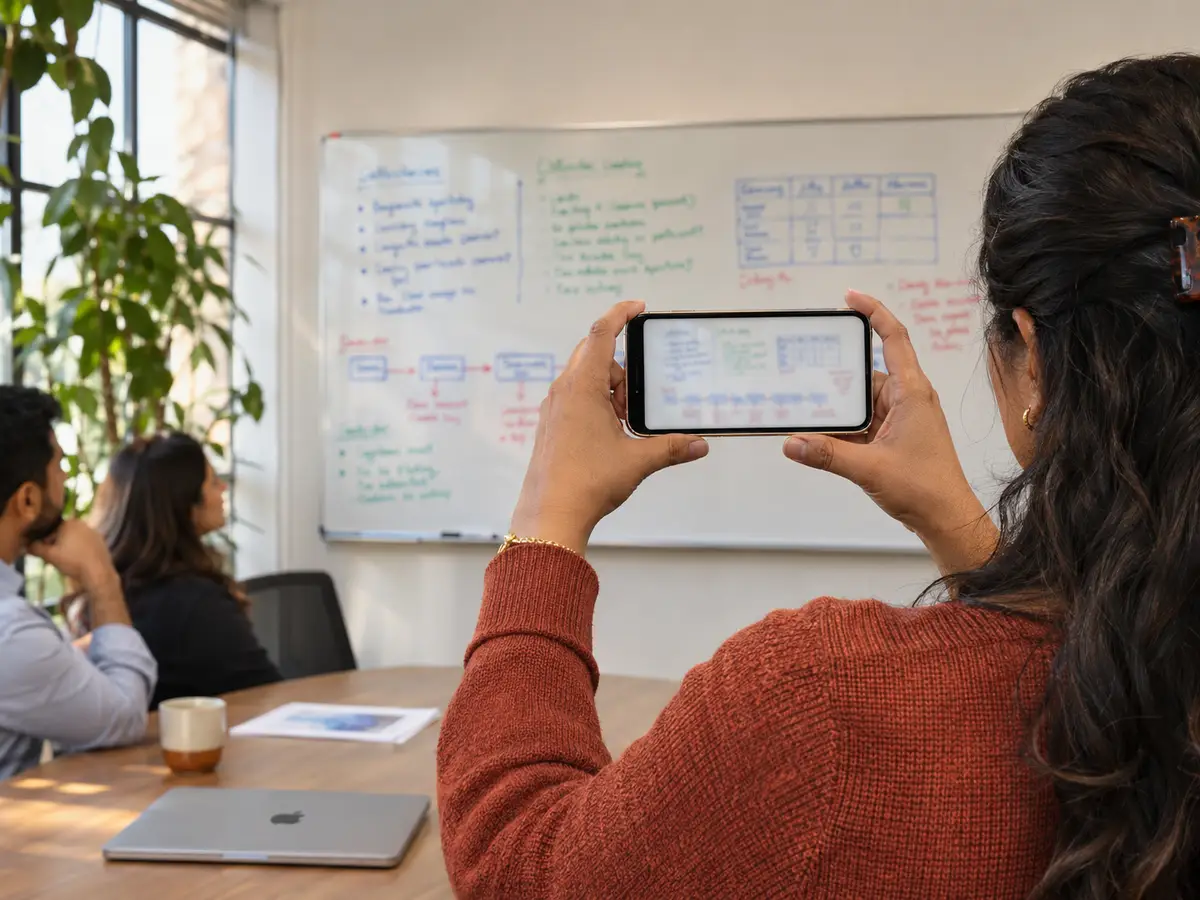
Until now, Hedy knew what it heard and what you typed into a context. Everything else sat in your files: the price list you quote from, the brief the client sent, the slide everyone was pointing at. With Hedy 3.15 you can add those documents and photos, and Hedy reads them alongside the conversation.
Those files are often the most sensitive things you own, like contracts, pricing, CVs and internal plans. So we built it the way we built speech recognition in Hedy, with the work happening on your device. Hedy never uploads the file itself. It reads the text and builds its search index on your phone or computer, and Google’s EmbeddingGemma 2 runs right there too, finding the parts of your files that fit what’s being said.
What you can add
Files go on a context. Open a session context, tap Attach files in its Files section, and every session that uses that context can draw on them. On a computer you can also drag files in. Hedy reads PDF, Word, PowerPoint, Excel, CSV, text and Markdown files, plus JPEG, PNG, HEIC and WebP images.
Photos go on a session. On a phone, tap the camera in the empty chat box during or after a session, then take a photo or pick up to ten from your library. On Mac and Windows, drop an image onto an open session or paste one with Cmd+V or Ctrl+V. So when someone fills a whiteboard or hands out a printed agenda, you take a picture and Hedy reads the text on it.
Each photo gets its own card, where you can see the text Hedy read, try again if reading failed, or remove the photo.
How Hedy uses them
Hedy treats your files as reference material and pulls in only what matters at that moment:
- In chat, ask “what’s our price for the annual plan?” and Hedy answers from your price list instead of guessing.
- In recaps and detailed notes, passages that match the conversation help Hedy get names, numbers and product details right.
- During a live session, automatic suggestions can use facts from your files and the text of photos you add, so a suggestion can quote the real figure from your brief instead of a general tip.
It also tells the AI not to follow any instructions written inside your files.
Your files stay on your device
Your original files and photos never leave the device you added them from. Hedy reads them there, using your device’s own text recognition for photos and scanned pages, and builds the search index there. Nothing about this step needs a server.
What happens to the text after that is up to you:
- With Cloud Sync on, the text Hedy read, the file name and type, and the search data are stored in your account’s data region so your other devices can use them. The web app shows that text read-only. With Cloud Sync off, they stay on the device.
- With cloud AI analysis, Hedy sends selected text from your files and photos, plus the file names, to our AI providers with the transcript and on the same terms. Short files may be sent in full.
- With Local AI, the analysis runs on your device and no file text goes to our AI providers.
Turn on Local AI and turn off Cloud Sync, and your files, the text Hedy reads from them and the index all stay on your phone or computer. Hedy still uses them in chat, recaps, notes and live suggestions.
Removing a file or photo, or deleting its context or session, deletes the text and search data on that device, and with Cloud Sync on, in the cloud and on your other devices when they sync. In the web app, text Hedy already loaded stays in your browser until you sign out. The original file elsewhere on your computer or phone isn’t touched. The Data Privacy Overview covers how Hedy handles your data in general.
Powered by EmbeddingGemma 2
Google DeepMind released EmbeddingGemma 2 on October 6 as an open model built to run on phones and laptops. It’s an embedding model: it captures what a passage of text is about, so two passages about the same thing match even when they share no words. Google says it understands more than 100 languages (model card), and our users hold meetings in dozens of them.
Meetings need this because people rarely talk the way documents are written. A client asks “what happens if we go over our seats?” and the answer sits in a section of your contract titled “Overage pricing.” Keyword search misses that, and EmbeddingGemma 2 connects the two. Hedy still matches exact words as well, so a product code or a person’s name turns up too.
Its small size is what lets this stay on your device. It runs on the phone in your pocket, so the search for the right passage happens there instead of on a server.
Turning on Smarter file context
Out of the box, Hedy finds passages that use the same words as the conversation. If you want it to also find passages that fit what’s being discussed when the words are different, download EmbeddingGemma 2:
- Open Settings → Speech & AI.
- In the AI Processing section, find Smarter file context and tap Download (310 MB).
You can also start the download from the Files section of any context that has files. It downloads only after you tap Download, over Wi-Fi or Ethernet that isn’t metered, and each device needs its own copy. Remove deletes the model and its search data from that device. Your files stay, and Hedy goes back to matching exact words.
Which devices it runs on
EmbeddingGemma 2 runs on Apple Silicon Macs, Windows PCs, iPhone, iPad and 64-bit Android devices, and chat, recaps and detailed notes use it on all of them.
Searching your files during a live meeting is harder, because the model has to keep up while speech recognition and live suggestions are running too. That works on Apple Silicon Macs, iPhone 15 Pro or newer, and iPads with an M-series or A17 Pro chip. On other devices, live suggestions use your files when they’re short enough to include whole. The help article has the details.
Get it
Files and photos as context are part of Hedy Pro, and Hedy Team members with an active seat get them too. Update to Hedy 3.15 on Mac, Windows, iPhone, iPad or Android, open a context and attach your first file. Save older .doc, .xls and .ppt files as .docx, .xlsx or .pptx, or export them as PDF, first. Hedy can’t read password-protected files.
FAQ
What can I add as context in Hedy?
Documents and photos. Attach PDF, Word, PowerPoint, Excel, CSV, text or Markdown files and JPEG, PNG, HEIC or WebP images to a session context, and every session that uses that context can draw on them. You can also add photos to a session while it’s running or after it ends, such as a whiteboard, a slide or a handout.
Are my files uploaded?
No. The file or photo itself stays on the device you added it from, and Hedy reads and indexes it there. If Cloud Sync is on, the text Hedy read is stored in your account’s data region so your other devices can use it. With cloud AI analysis, Hedy sends selected text from your files and photos, plus the file names, to our AI providers along with the transcript. Short files may be sent in full.
Can I keep my files entirely on my device?
Yes. Turn on Local AI and turn off Cloud Sync, and the text Hedy reads from your files stays on your device, along with the files themselves. Hedy still uses that text in chat, recaps, detailed notes and live suggestions.
What does Hedy do with my files?
Hedy reads the text in them on your device and picks out the passages that matter for what you’re doing. It uses those passages when it answers your questions in chat, when it writes your recap and detailed notes, and when it suggests what to say during a session.
What is EmbeddingGemma 2?
EmbeddingGemma 2 is an open embedding model from Google DeepMind, released on October 6, 2026 and built to run on phones and laptops. It captures what a passage of text is about, so passages about the same thing match even when they use different words. Hedy runs it on your device to find the parts of your files that fit the conversation.
Do I need to download EmbeddingGemma 2?
No. Without it, Hedy finds passages that share words with the conversation. EmbeddingGemma 2 is an optional download of about 310 MB, called Smarter file context in Hedy, that also finds passages that fit what’s being discussed when the words are different. Download it in Settings → Speech & AI. It downloads only after you tap Download, over Wi-Fi or Ethernet that isn’t metered, and each device needs its own copy.
Can Hedy understand charts or diagrams in my photos?
Not yet. Hedy reads the text in a photo or a scanned page using your device’s own text recognition. It doesn’t interpret the drawing itself, so a whiteboard with clear writing works better than a chart with few labels.
Which devices support it?
Adding files and photos works in Hedy on Mac, Windows, iPhone, iPad and Android. EmbeddingGemma 2 runs on Apple Silicon Macs, Windows PCs, iPhone, iPad and 64-bit Android devices. During a live session it runs on Apple Silicon Macs, iPhone 15 Pro or newer and iPads with an M-series or A17 Pro chip. The web app shows the text your other devices added but can’t add files.
Is it included in the Free plan?
No. Adding files and photos is part of Hedy Pro, and Hedy Team members with an active seat can use it too.
Related reading
About the author
Julian Pscheid is the founder and CEO of Hedy AI, a real-time AI meeting coach used by tens of thousands of professionals worldwide. He writes about how AI is changing the way people prepare for, capture, and understand important conversations.