

Automatic Suggestions
Get AI-powered coaching suggestions in real-time to elevate your conversations and never miss important opportunities.
Automatic Suggestions is the feature behind what users often call live responses, live suggestions, live coaching, real-time AI advice, or in-call AI help. If you expected Hedy to give you live feedback during a meeting and you’re only seeing a transcript, this is the feature you want to turn on.
Hedy is only transcribing and not giving me live responses — how do I fix it?
Hedy gives you live in-call help in two different ways, and which one you need depends on what you’re trying to do. If it feels like Hedy “isn’t helping,” you’re almost always in one of these three situations:
1. You want an instant answer to a question someone just asked you.
Automatic Suggestions is not the right tool for this — it fires every couple of minutes and sends proactive strategic tips, not on-demand answers. For instant replies, use Chat with Hedy or a Quick Prompt:
- Type your question (or paste the one you were just asked) into Hedy’s chat and press send
- Or tap a Quick Prompt button — on desktop they appear below the chat input, on mobile they’re behind the magic-wand icon next to the chat field
- See Hedy Quick Prompts for how to add and save your own prompts
2. You want ambient coaching tips during the conversation.
This is what Automatic Suggestions does. If you’re not seeing any:
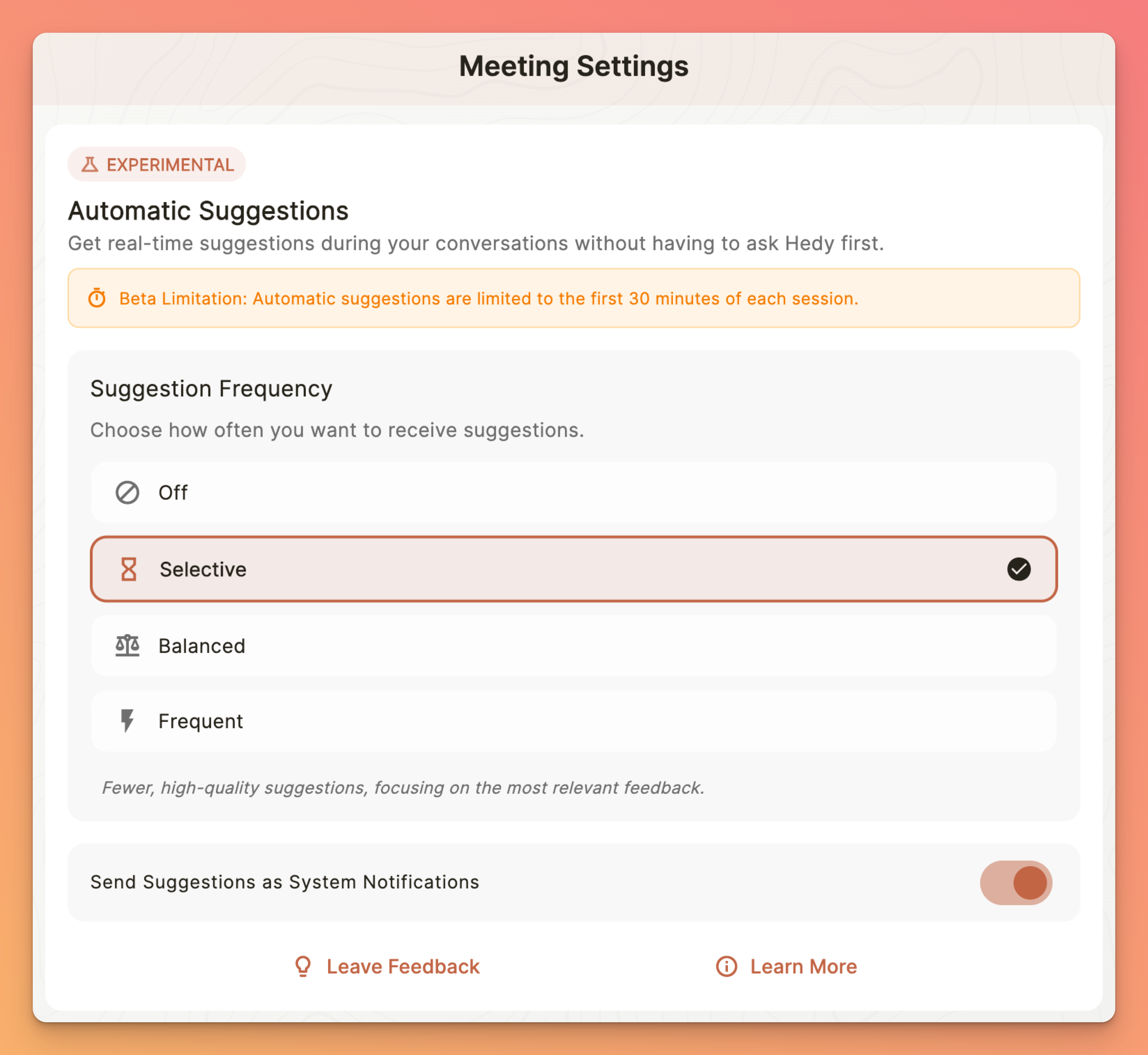
- Open Settings and go to the Sessions tab
- Scroll to the Automatic Suggestions section
- Set the frequency to Balanced or Frequent — if it’s set to Off, you will never see live suggestions, and Selective only sends rare high-value tips
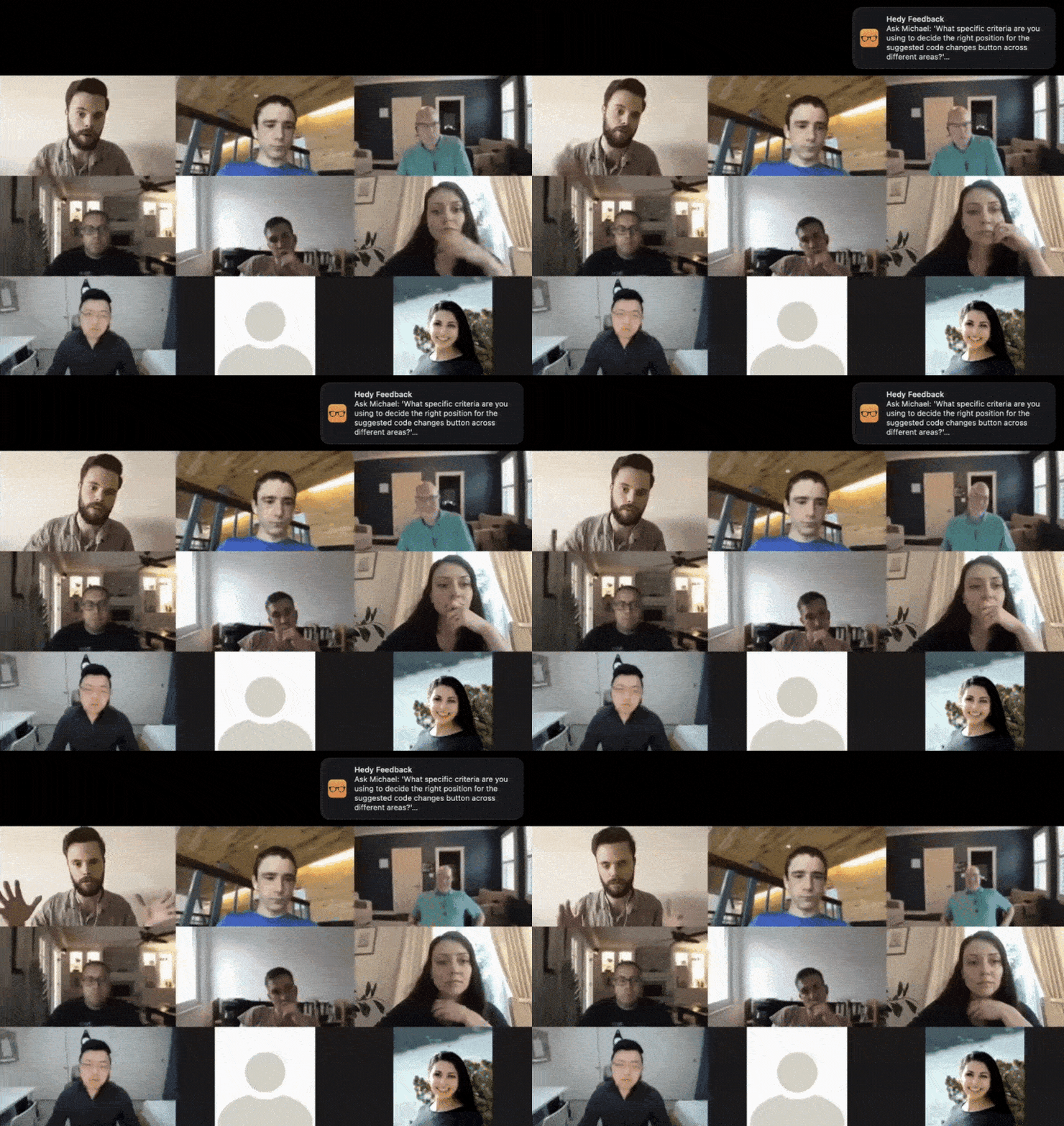
- Optionally enable system notifications so you receive suggestions even when Hedy is in the background
- Start a new session — suggestions typically begin appearing after about 2 minutes of meaningful conversation
Free accounts get automatic suggestions for the first 30 minutes of a session; Pro accounts get 120 minutes.
3. You’ve tried both chat and Automatic Suggestions and nothing at all is coming back.
Check that AI Processing (Settings → Speech & AI) is not set to Off. With Off, Hedy keeps transcribing but cannot generate chat replies, automatic suggestions, highlights, summaries, or meeting notes. With Local AI selected and a model downloaded, Hedy generates these on-device. See AI Processing: Cloud AI, Local AI or Off.
What are Automatic Suggestions?
While you focus on your conversation, Hedy’s AI continuously analyzes the discussion in real-time. When it identifies an opportunity for you to ask a strategic question, explore an important topic, contribute valuable insights, or navigate sensitive topics with better framing, Hedy sends you a discrete suggestion through the chat interface. This helps you be the brightest person in the room by catching opportunities you might otherwise miss.
On Hedy Pro, you can also forward each suggestion to other tools the moment it appears. Route them to a Slack channel, a spreadsheet, or your own automation. See webhooks for setup.
Getting Started
-
Open Settings and go to the Sessions tab
-
Scroll to the Automatic Suggestions section
-
Choose your preferred frequency: Selective, Balanced, or Frequent
-
Optionally enable system notifications to receive suggestions even when Hedy is in the background
-
Start your session and let Hedy coach you in real-time
How It Works
Hedy’s automatic suggestions use a sophisticated two-step AI process:
-
Real-time Analysis: AI monitors your conversation flow, identifying gaps and opportunities
-
Quality Filtering: Each suggestion is evaluated against strict criteria for actionability and value
-
Perfect Timing: Suggestions arrive when you can still act on them during the conversation
-
Context Awareness: Incorporates your session type, personal goals, and discussion history
Frequency Settings
Control how often you receive suggestions based on your preference:
-
Off: No automatic suggestions (manual Q&A only)
-
Selective: Only the highest-quality suggestions
-
Balanced: Moderate frequency for most users
-
Frequent: Maximum coaching
Session Types Supported
Automatic suggestions are tailored for different conversation types:
-
Business Meetings - Strategic questions and action items
-
Lectures/Classes - Learning enhancement and clarifications
-
Medical Consultations - Important health questions
-
Interviews - Insightful journalism or recruitment questions
-
Coaching Sessions - Breakthrough questions and insights
-
Personal Conversations - Deeper connection opportunities
-
Solo Brainstorming - Creative prompts and perspectives
-
Group Brainstorm - Facilitation observations and thinking prompts
-
Negotiation - Tactical coaching and position tracking
-
Spiritual Teaching - Deeper understanding and reflection
Automatic suggestions are available for the first 120 minutes of each session on Pro accounts (30 minutes on free accounts).
Best Practices
-
Create detailed session contexts - the more Hedy knows about your role and goals, the better the suggestions
-
Start with “Balanced” frequency and adjust based on your experience
-
Enable notifications for important meetings so you don’t miss suggestions
-
Review suggestions quickly - they’re designed for immediate action
-
Use the copy button to save particularly valuable suggestions
What Makes This Different
Unlike generic AI prompts, Hedy’s suggestions are:
-
Contextually Intelligent: Based on actual conversation dynamics, not just keywords
-
Quality-Filtered: Sophisticated AI criteria ensure only valuable, non-obvious suggestions reach you
-
Perfectly Timed: Delivered when you can still act on them during the conversation
-
Conversation-Aware: Considers your session type, personal context, and ongoing discussion threads
Privacy & Processing
-
All analysis happens in real-time using your conversation transcript
-
Suggestions are generated based on your specific context and preferences
-
No suggestions are stored unless you explicitly copy them
-
Processing respects your chosen AI provider settings
Troubleshooting
I’m not receiving any suggestions / Hedy is only transcribing and not giving me live responses / no AI coaching is appearing during my meeting
-
Ensure automatic suggestions are enabled in Settings > Sessions > Automatic Suggestions — if it’s set to Off, Hedy will only transcribe and will not send any live suggestions
-
Set the frequency to Balanced or Frequent — Selective only sends rare, high-value tips and can feel like nothing is happening
-
Check that your session has been running for at least 2 minutes
-
Verify you have sufficient transcript content (meaningful conversation)
-
Free accounts are limited to 30 minutes per session; Pro accounts get up to 120 minutes
-
Enable system notifications in Settings so you don’t miss suggestions when Hedy is running in the background
-
Check that AI Processing (Settings → Speech & AI) is not set to Off. With Off, Hedy keeps transcribing but cannot generate chat replies, automatic suggestions, highlights, summaries, or meeting notes.
Suggestions seem too generic
-
Add more detailed session context before starting
-
Include your specific role, goals, and meeting objectives
-
Choose the appropriate session type for better targeting
-
Consider switching to “Selective” for higher quality threshold
I’m getting too many/few suggestions
-
Adjust the frequency setting in Settings > Sessions > Automatic Suggestions
-
Try “Balanced” for most conversations
-
Use “Frequent” only for critical meetings
-
Switch to “Selective” if you prefer fewer, higher-impact suggestions
Pro tip: For maximum effectiveness, spend 30 seconds before each meeting adding specific context about your goals, the other participants, and what success looks like. This dramatically improves the relevance and impact of Hedy’s suggestions throughout your conversation.

