Hedy 3.15: Files and Photos as Context, Outlook Calendar & More
Hedy 3.15 uses your documents and photos in meetings, makes live suggestions more timely, adds Outlook Calendar and reads answers aloud on Android and Windows.
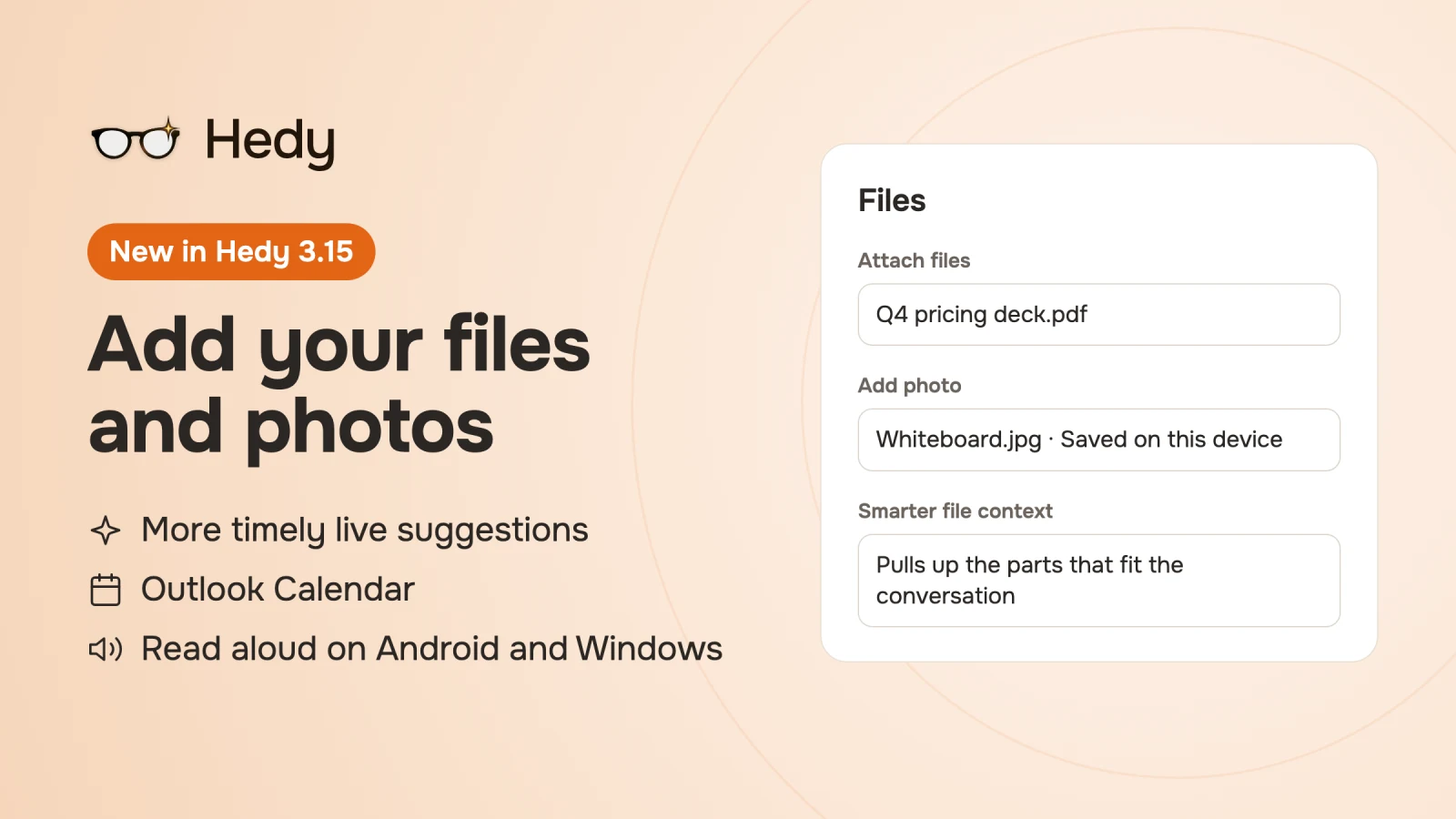
Letting Hedy use your documents has been one of your longest-standing requests, and we’ve wanted to add it for just as long. But we wanted to do it in a way that fits how Hedy handles your data, and that meant not uploading your files to our servers. Only when Google released its new EmbeddingGemma 2 model in October did we feel we could do it on your device at the quality Hedy promises. We wrote up how files and photos work with EmbeddingGemma 2 separately.
So Hedy now reads your documents and photos and uses them in your meetings. This post covers that and everything else we shipped in October and November, including our Outlook Calendar integration. The video walks through the highlights in two and a half minutes.
Bring your documents into the conversation
Attach a price list, your CV, a client brief or a slide deck to a session context. In every session that uses that context, Hedy draws on what those files say, in chat, recaps, detailed notes and live suggestions. PDF, Word, PowerPoint, Excel, CSV, text files and images all work. To add them, go to Settings, then Personalization, then Session AI Context & Instructions, open a context and look for Files.
Some files belong to a single meeting, like an agenda or a photo of the whiteboard. For those, every session now has a Files & photos card in its Notes tab. On a computer you can also drag files onto Hedy or paste them into your notes. If you add one while you’re typing, Hedy marks that spot in your notes with the file’s name, so the recap knows which part of the conversation it belongs to.
Your original files stay on the device you added them on, and Hedy finds the parts that fit the conversation right there. To get the most out of your files, download Smarter file context once on each device (310 MB). Hedy offers it next to your files, and you’ll also find it under Settings, then Speech & AI. Without it, Hedy still uses short files in full and matches exact words in longer ones.
Adding files needs Hedy Pro or a Team seat and the Hedy app on your computer or phone. The web app shows them read-only. The help article on files and photos has the details, and our guide on what to add for sales calls, interviews and more has ideas for what to attach.
More timely live suggestions
Many of you told us the timing of live suggestions could be better, and we’ve put a lot of work into getting it right. Suggestions now focus on what’s being discussed at that moment, and Hedy stays quiet when the moment doesn’t need anything.
On Mac, if you show suggestions as alerts, you can drag a card to where you want it, and later cards appear in the same spot. A new Card opacity setting under Settings, then Sessions, makes cards see-through until you hover over them. More in the help article on moving cards and changing their opacity.
Outlook Calendar
If your calendar is in Microsoft 365 or Outlook.com, you can now connect it to Hedy instead of Google Calendar. Hedy reminds you when a meeting starts and brings the meeting title, attendees and agenda into the session as context. Connect it under Settings, then Automation & Data. If your organization has to approve apps first, Hedy shows you what to send your administrator. The help article walks through connecting your calendar.
Is the meeting over?
The call ended ten minutes ago and Hedy is still listening to you make coffee. Hedy now asks whether to end your session when a meeting seems to be over: when Zoom or Teams releases your microphone on Mac and Windows, when the calendar event ends, or after 15 minutes without speech. Hedy never ends a session on its own. To turn these reminders off, go to Settings, then Sessions, and look for Meeting-end reminders. Google Meet calls can’t be detected reliably yet, so they’re still on our roadmap.
Topics with less filing to do
Topics keep the sessions about one client, project or class together, and three changes make them easier to keep in order:
- Topic suggestions: after a session without a topic, Hedy can suggest one of your topics for it.
- Recurring meetings: sessions from a recurring calendar meeting go into the same topic as the earlier ones, including sessions you start when Hedy detects a call on Mac and Windows.
- Create a topic from a session: when a session deserves a topic of its own, open its topic menu and choose Create new topic from this session. Hedy drafts the name and context, you edit them, and the session is filed there.
The help article on topics covers the rest.
Ask the next question with one tap
Chat answers and the newest live suggestion now come with a few follow-up questions. Tap one to ask it. They sit by the chat box, and your quick prompts are still there under More.
Answers read aloud on Android and Windows
Chat answers could already be read aloud on Mac and iPhone, and now that works on Windows and on supported Android phones too. The voice is generated on your device. It’s English only for now, with more languages to follow. See reading chat answers aloud.
Smaller things you’ll notice
- On Mac, if your microphone drops out mid-session, Hedy keeps capturing the other participants and tries your microphone again when you unmute.
- On Mac and Windows, if Hedy can’t keep capturing audio, it ends the session and tells you why and how to continue.
- On Windows and Android, Hedy runs a quick speed check after you download Smarter file context. If your device passes, live suggestions can use your files.
- Spark X2.6 4B is available as a Local AI model on Mac and Windows.
- Recap and detailed-notes headings now follow your AI response language.
- On wide screens, you can drag the chat panel narrower than half the window.
- Imported audio can be dated as far back as 2010.
- Hedy Team admins can add company context once in the admin portal on the web, and every member’s sessions use it.
- Plus a long list of fixes across sessions, sync, imports and the desktop apps.
Get Hedy 3.15
All of this is available now in Hedy 3.15.1. Update the app wherever you use it and let us know what you think.
About the author
Julian Pscheid is the founder and CEO of Hedy AI, a real-time AI meeting coach used by tens of thousands of professionals worldwide. He writes about how AI is changing the way people prepare for, capture, and understand important conversations.