

Hedy API
What is the Hedy API?
The Hedy API provides programmatic access to your meeting data, transcripts, summaries, and AI-generated insights. Whether you’re building custom integrations, automating workflows, or connecting with tools like Zapier, the API gives you the power to extend Hedy’s capabilities beyond the app. All API features require a Pro subscription with cloud sync enabled. If you want an AI assistant to work with this data conversationally instead of writing code, you can also connect Hedy with AI assistants using MCP.
Getting Started with the API
-
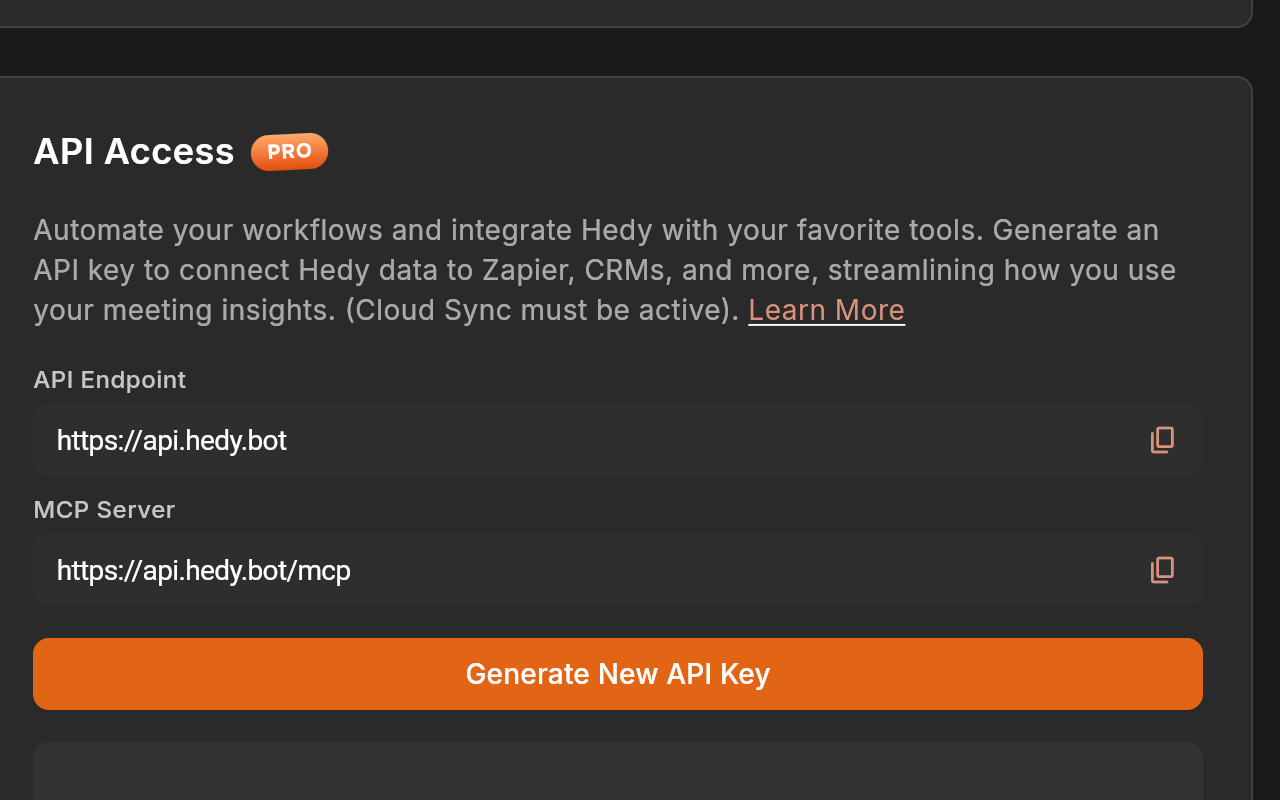
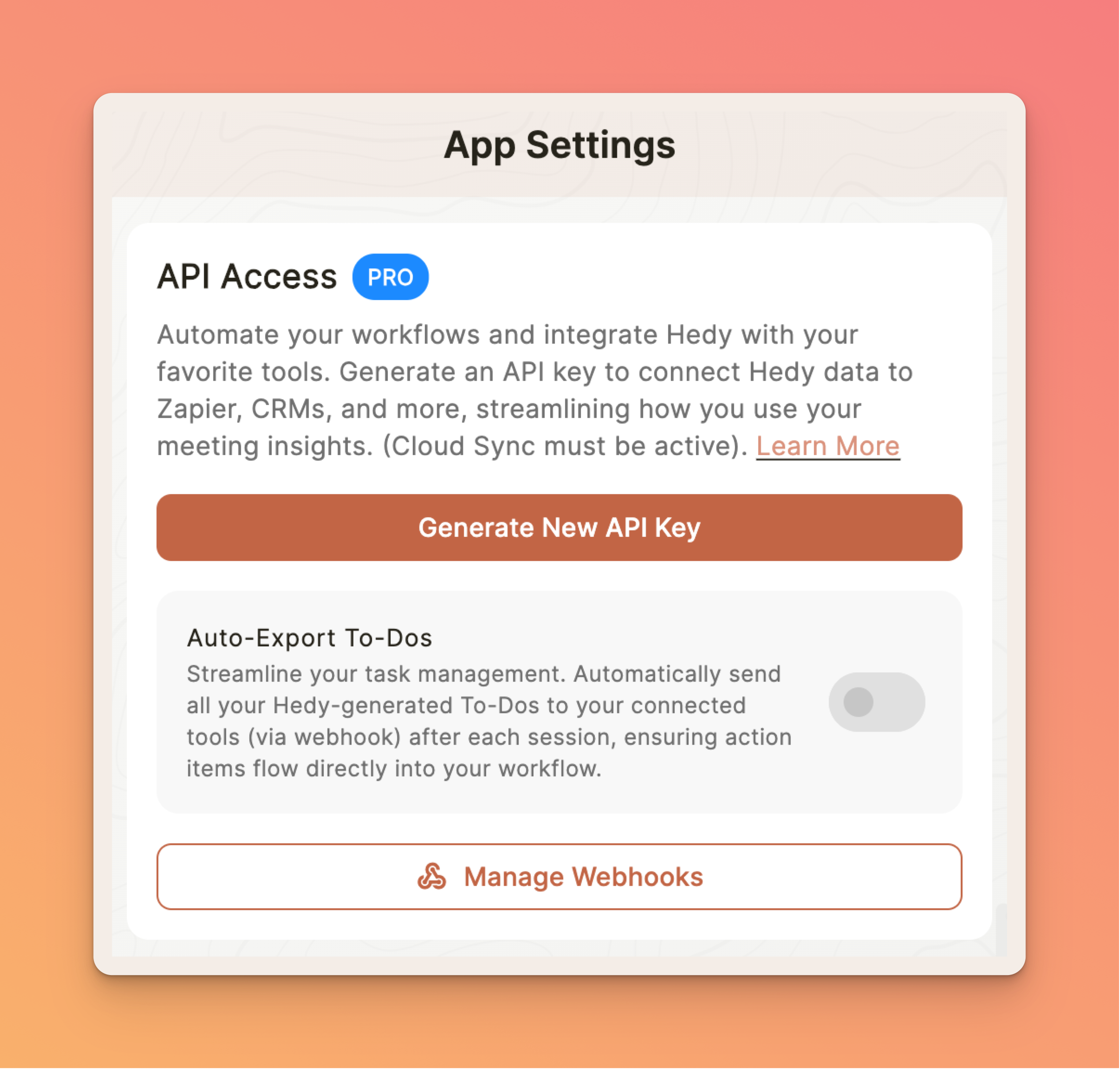
Open the Hedy app and navigate to Account Settings
-
Scroll to the API Access section
-
Click Generate New API Key (Pro subscription required)
-
Copy your API key and store it securely - you won’t be able to see it again
-
Visit our API documentation on SwaggerHub for detailed endpoint information, or access the raw OpenAPI spec at https://api.hedy.bot/docs
Security Note: Your API key provides full access to your Hedy data. Keep it secure and never share it publicly or commit it to version control.
Endpoint URLs by Region
The Hedy API runs in two regions to keep user data in the correct jurisdiction. Use the base URL that matches the region your account was created in:
-
US accounts:
https://api.hedy.bot -
EU accounts:
https://eu-api.hedy.bot
Both regions run identical code and expose the same endpoints — there is no feature difference. Your API key is tied to your account’s region, so calls to the wrong base URL will fail authentication. If you are unsure which region your account uses, open Hedy and go to Settings → Privacy & System → Privacy Preferences; the flag icon shows where your data is stored.
The examples in this article use
https://api.hedy.bot. If your account is in the EU, replace it withhttps://eu-api.hedy.boteverywhere.
API Capabilities
The Hedy API offers comprehensive access to your meeting intelligence:
-
Sessions: List and retrieve your meeting sessions, including full transcripts, AI summaries, and key points
-
Highlights: Retrieve important moments from your meetings with AI-generated insights
-
Topics: Create, update, delete, and organize sessions by topics with custom context instructions
-
Todos: Retrieve and manage action items across all sessions
-
Session Contexts: Create and manage reusable instructions that guide how Hedy analyzes your meetings
-
Custom Vocabulary: Read and replace the account vocabulary list that improves transcription of names and technical terms
-
Webhooks: Configure and manage webhook endpoints via the API for real-time event notifications
-
User Info: Retrieve your account details via the /me endpoint
The API works with sessions once they exist. It cannot start or stop a live session, because that happens in the Hedy app on your device. To start or end a session from a script or another app on the same device, see Starting sessions from other apps.
Authentication
All API requests require authentication using your API key. Include it in the Authorization header:
Authorization: Bearer YOUR_API_KEYWebhooks
Set up webhooks to receive real-time notifications when events occur in your Hedy account:
-
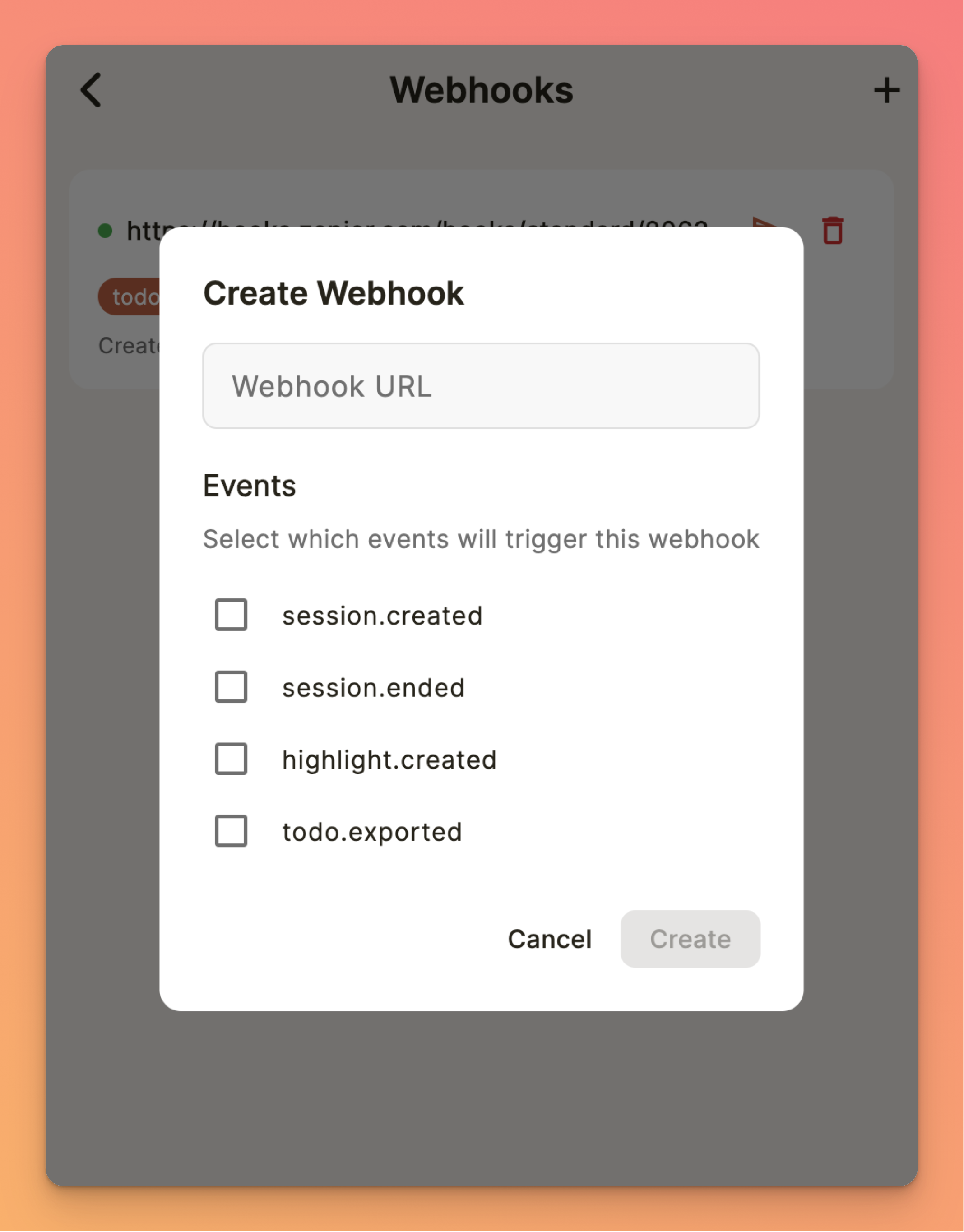
In the API Access section, click Manage Webhooks
-
Click the + button to add a new webhook
-
Enter your HTTPS endpoint URL
-
Select the events you want to receive:
-
session.created - When a new session starts
-
session.ended - When a session completes processing
-
session.exported - When a session is manually exported by the user
-
highlight.created - When a new highlight is added
-
todo.exported - When todos are exported from a session
-
-
Save your webhook and note the signing secret for payload verification
You can also manage webhooks programmatically via the API using GET, POST, and DELETE on the /webhooks endpoint. Each account can have up to 50 webhooks.
Webhook Signature Verification
Every webhook delivery includes a signature in the X-Hedy-Signature header so you can verify it came from Hedy. The signature is an HMAC-SHA256 hash of the raw request body, signed with your webhook’s signing secret. Verify the signature on your server before processing the payload to ensure authenticity. Each delivery also includes an X-Hedy-Event header indicating the event type (e.g., session.ended).
Session Contexts
Session Contexts let you create reusable sets of custom instructions that tell Hedy how to analyze your meetings. For example, you might create a context for “Sales Calls” that focuses on action items and customer objections, or one for “Standup Meetings” that tracks blockers and updates.
Use the API to manage your session contexts:
-
GET /contexts - List all your session contexts
-
GET /contexts/{id} - Get a specific context by ID
-
POST /contexts - Create a new context (title and content)
-
PATCH /contexts/{id} - Update an existing context
-
DELETE /contexts/{id} - Remove a context
Set a context as default and it will apply to all new sessions automatically. Free tier accounts are limited to 1 session context.
Managing Topics via API
Topics help you organize your sessions into categories. The API supports full topic management:
-
GET /topics - List all topics with AI-generated insights and session counts
-
GET /topics/{id} - Get a specific topic’s details
-
POST /topics - Create a new topic with name, description, color, icon, and default session type
-
PATCH /topics/{id} - Update a topic’s properties, custom context, or default session type
-
DELETE /topics/{id} - Remove a topic (sessions are unlinked, not deleted)
-
GET /topics/{id}/sessions - List all sessions within a topic
-
PATCH /sessions/{id} - Move a session to a topic with
{"topicId": "<topic id>"}, or remove it with{"topicId": null}.topicIdis the only supported field; Hedy refreshes the AI overviews of affected topics.
A session captured with Cloud Sync off cannot be moved (409 session_not_synced); the destination topic must exist and cannot be in the process of being deleted.
Topics can include a topicContext field with custom instructions (up to 20,000 characters) that guide how Hedy analyzes sessions assigned to that topic. Those instructions attach automatically to any session started under the topic, including the live suggestions during the session, so preparing a topic through the API is enough to prepare the session.
Topics also accept a dominantSessionType field, which sets the session type a session started under that topic will use. This is useful when you create topics programmatically and do not want every one of them to fall back to the default type. The field doubles as a derived statistic: once a topic has sessions, Hedy recalculates it from the types you actually used, so a value you write acts as the starting point rather than a permanent setting. Setting it on a topic that already has sessions works as a one-off override for the next session. The API reference lists the accepted session type values.
Custom Vocabulary
Custom vocabulary teaches Hedy the names, acronyms, and technical terms specific to your work, which improves how accurately they are transcribed. The list lives on your account and applies to every session.
-
GET /vocabulary - Retrieve the current term list and whether vocabulary is enabled
-
PUT /vocabulary - Replace the entire term list
PUT replaces the whole list rather than adding to it, so any stored term you leave out is removed. Send up to 100 terms, each between 2 and 50 characters. Terms must be unique (case is ignored when comparing) and cannot contain angle brackets, braces, square brackets, backslashes, pipes, backticks, or tildes.
The enabled flag is both readable and writable. Omit it when replacing terms and the stored value is left alone. This matters if you automate vocabulary updates: reading the flag first tells you whether the terms you write will actually be used, rather than sitting on an account where vocabulary is switched off.
Because a single call swaps the whole list, you can rewrite the vocabulary before each meeting to match the names and terminology that meeting needs, instead of maintaining one long combined list.
Common Use Cases
-
Project Management Integration: Automatically create tasks in your PM tool from meeting action items
-
Knowledge Management: Index meeting content in your company’s knowledge base
-
CRM Integration: Update customer records with meeting insights
-
Analytics Dashboards: Build custom reports on meeting patterns and productivity
-
Workflow Automation: Trigger actions based on meeting content or completion
-
Zapier Integration: Connect Hedy to thousands of apps using Zapier (add ?format=zapier to endpoints for Zapier-compatible flat array responses)
API Limits and Best Practices
-
Rate limits: 200 requests per minute per API key
-
Pagination: Use the limit parameter (default 50, max 100) and the after cursor parameter to page through results
-
Cache responses when possible to reduce API calls
-
Handle errors gracefully with exponential backoff
-
Use webhooks for real-time updates instead of polling
Auto Export Todos
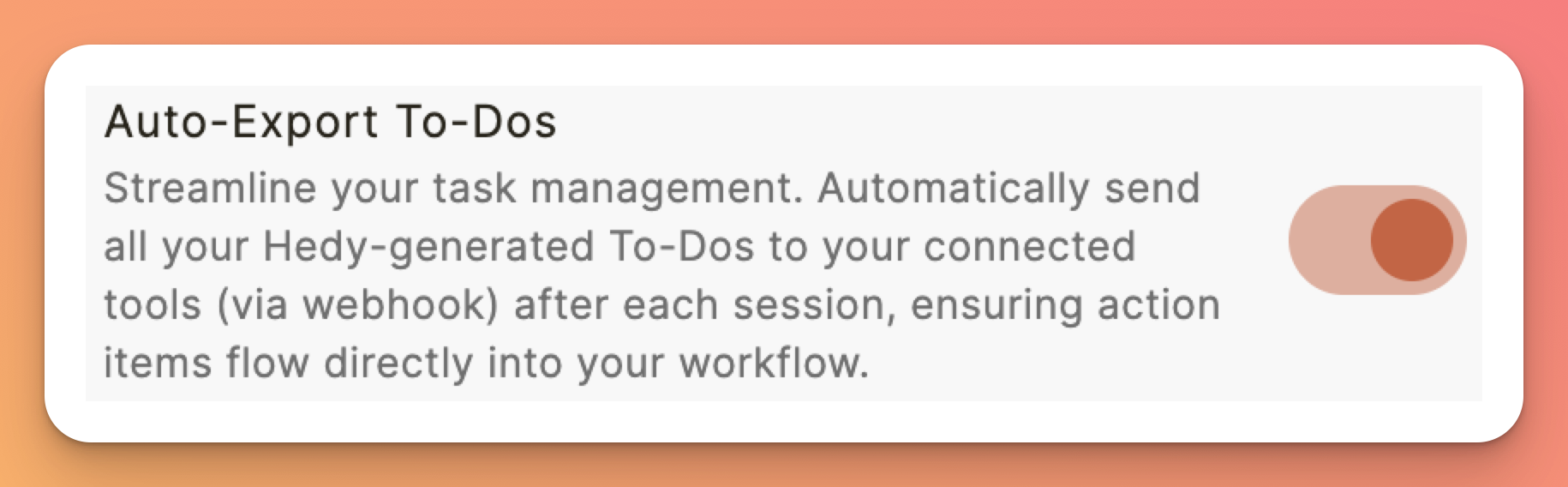
Enable automatic todo export to send action items to your integrated systems:
-
In the API Access section, toggle on Auto Export Todos
-
Todos will be automatically sent to your configured webhook endpoints
-
Each todo includes context, assignee suggestions, and meeting reference
Code Examples
Here’s a simple example to get your recent sessions:
curl -X GET "https://api.hedy.bot/sessions?limit=10" \ -H "Authorization: Bearer YOUR_API_KEY"For more examples and the full endpoint reference, visit our API documentation.
Troubleshooting
401 Unauthorized Error
-
Verify your API key is correct and properly formatted
-
Ensure you have an active Pro subscription
-
Check that cloud sync is enabled in your account
-
Confirm the API key hasn’t been regenerated (old keys are invalidated)
Empty Response or Missing Data
-
Ensure cloud sync is enabled - API only accesses cloud-synced data
-
Wait a few minutes after a session for data to sync
-
Check your date filters and pagination parameters
-
Verify you’re using the correct endpoint for your data type
Webhook Not Receiving Events
-
Confirm your endpoint URL uses HTTPS (required)
-
Check that your server responds with 200 OK status
-
Verify the X-Hedy-Signature header if implementing signature verification
-
Test your webhook using the “Test Webhook” button
-
Check firewall rules aren’t blocking Hedy’s servers
Rate Limit Exceeded
-
Implement caching to reduce redundant API calls
-
Use webhooks for real-time updates instead of polling
-
Batch operations where possible
-
Contact support if you need higher limits
Pro tip: Use webhooks instead of polling for real-time updates. This is more efficient and provides instant notifications when your data changes.
Privacy and Security
Your data security is our priority:
-
All API communication uses HTTPS encryption
-
API keys can be regenerated at any time (invalidates old key)
-
Webhook payloads are signed with HMAC-SHA256 for verification
-
Data is only accessible with valid authentication
-
All endpoints enforce strict security headers
Getting Help
For API-specific questions:
-
Browse the API documentation for endpoint details and schemas
-
Read our API announcement blog post for examples and use cases
-
Join our Slack community for support and to share your integrations

