

Session Recaps and Detailed Notes
After you end a session, Hedy automatically generates a recap summary and detailed notes from your conversation. You can also write your own session notes during or after any session using the built-in rich-text editor.
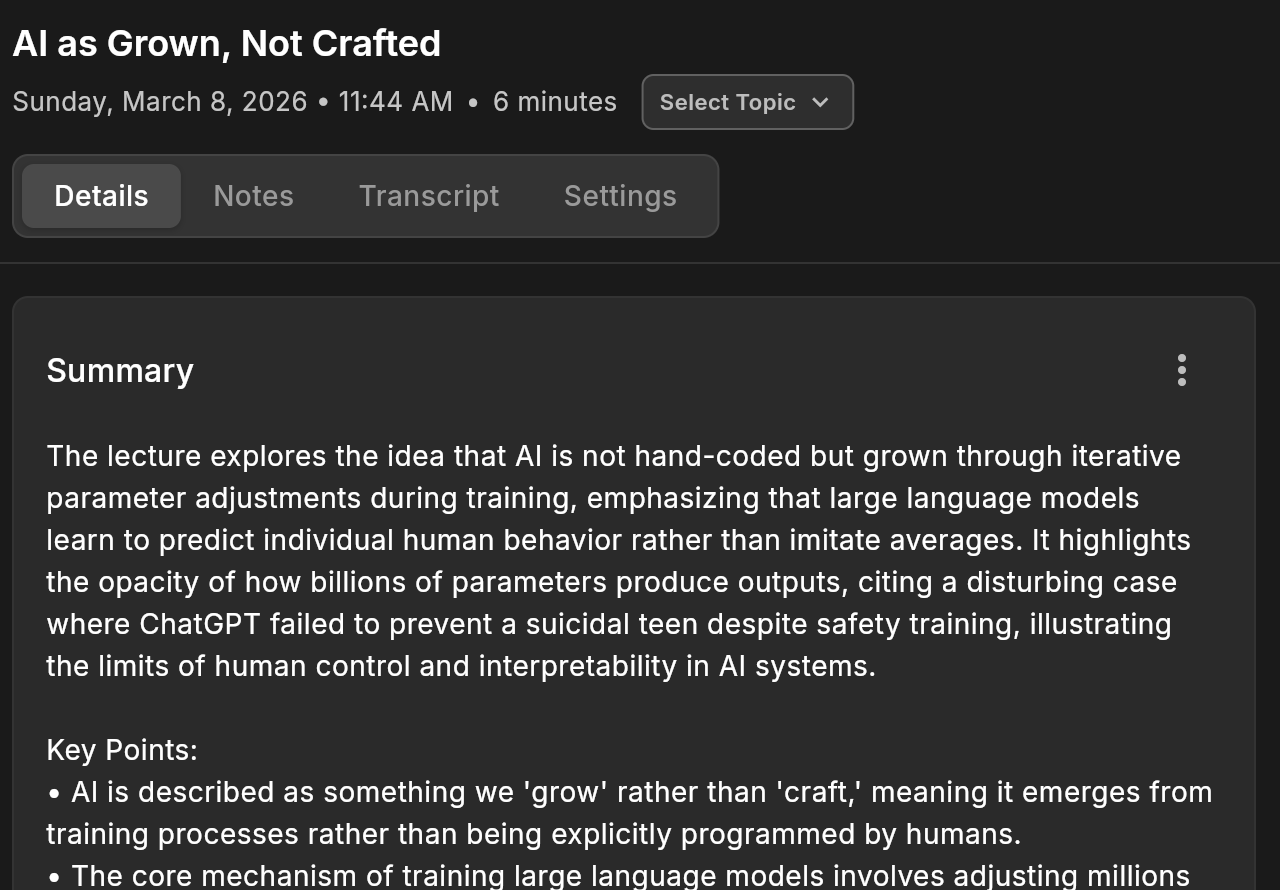
Session Recap
The recap is a concise summary generated automatically when you end a session. It captures the most important points from your conversation in a format you can quickly scan or share.
What the recap includes (varies by session type):
-
A descriptive title capturing the session’s main theme
-
Summary of key discussion points
-
Action items and next steps
-
Key insights or decisions
The structure adapts to your session type. A Business Meeting recap highlights decisions and action items, while a Lecture recap focuses on key concepts and study notes. Action items from your sessions are also collected as to-do items you can track and check off.
Detailed Notes (Meeting Minutes)
Detailed notes provide a comprehensive record of your conversation, going deeper than the recap.
What detailed notes include:
-
Chronological flow of the discussion
-
Speaker attributions (when identifiable)
-
Key quotes and context
-
Timestamp references tied to your transcript
To view your detailed notes, open a completed session and look for the “Detailed Notes” section.
Regenerating Recaps and Notes
If you want to regenerate a recap or detailed notes (for example, after editing your transcript or changing the session type), you can do so from the session detail screen. Tap the regenerate button next to the recap or detailed notes section. If a recap never appeared in the first place, see summary or recap not generating.
Session Notes (Your Personal Notes)
In addition to the AI-generated recap and detailed notes, you can write your own notes during or after any session. Session notes use a rich-text editor with formatting options, and they auto-save as you type.
How to use session notes:
-
Open a session (live or completed)
-
Navigate to the Notes tab
-
Start typing. Your notes save automatically
Formatting options:
-
Bold, Italic, and Underline
-
Bullet lists and numbered lists
-
Timestamp insertion (during live sessions) to mark the current moment in the recording
AI integration: Your session notes are shared with Hedy’s AI when generating summaries, detailed notes, and chat responses. This means your personal observations, corrections, or context enrich the AI’s output. A character counter in the toolbar shows how much of your notes the AI can use (up to 10,000 characters).
Pro tip: Add notes about things the AI can’t hear, like visual content from a presentation, participant names, or corrections to the transcript. This helps Hedy generate more accurate and complete summaries.
Recap Emails
You can enable automatic recap emails in your account settings to receive a summary of every session in your inbox.
Since recap emails are sent in plain text and unencrypted, consider the confidentiality of your conversations before enabling this feature.
Sharing Recaps
You can share your session recaps and notes with others. Invite another Hedy user, or create a public link that opens in any browser without an account. A public link includes the recap by default; detailed notes are included only if you select them. See Share Sessions and Topics for the full picture.
Tips for Better Results
-
Choose the right session type before starting, as it determines how the recap is structured
-
Add session context (your role, goals, background info) for more tailored summaries
-
Use session notes to add context the AI can’t capture from audio alone
-
Ensure clear audio during your session for accurate transcription

